Strategy
Step-by-Step Guide for Beginners to Design a Website
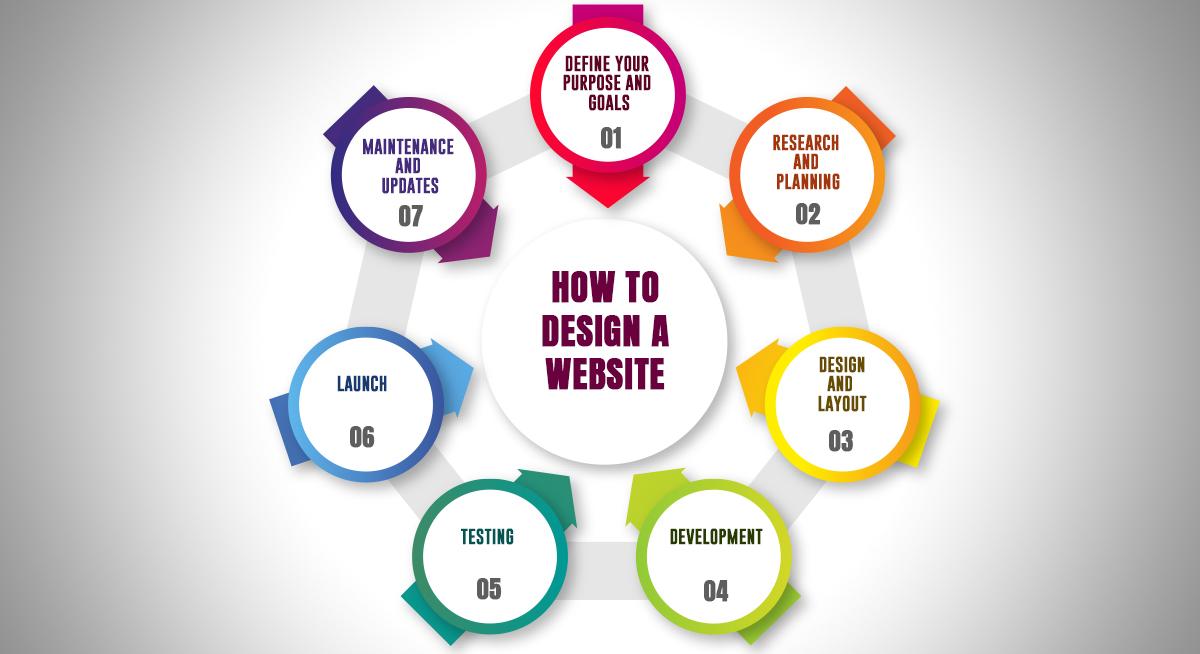
Let me start by saying this clearly — this is not a professional “web design 101” manual.
I’m not a classically trained designer.
This is simply the process I’ve personally used to design websites without a design background — and it has worked extremely well for me. If you’ve ever stared at a blank screen not knowing where to start, this guide is for you.
Designing from scratch can feel overwhelming. But once you understand a simple structure and repeatable process, it becomes much easier.
Here’s exactly how I approach website design.
Step 1: expose yourself to good design
Before you design anything, you need to see good design.
You can’t create what you’ve never seen.
One of the best things I did was spend time studying high-rated website themes. Platforms like ThemeForest are great for this because you’ll find layouts that are practical and designed for real businesses.
Instead of trying to reinvent the wheel, study:
How sections are arranged
How services are presented
How calls-to-action are placed
How testimonials are structured
How pages flow from top to bottom
Here’s something important to understand:
Design is rarely 100% original. Most design is inspired, adapted, and improved. Borrow structure. Borrow layout ideas. Combine elements. Make it your own.
Not every flashy website you see online works for real businesses. Some designs look impressive but don’t convert customers. Focus on clean, structured layouts that would actually work for a small or medium-sized business.
Practical always beats flashy.
Step 2: sketch it out on paper first
Once I’ve gathered inspiration, I don’t jump straight into a design tool.
I grab paper.
Yes — actual paper.
I tape a few sheets together and sketch out a rough wireframe using pencil. Nothing fancy. Just boxes and labels:
Header
Hero section
Services
About section
Testimonials
Call to action
Footer
This helps me:
Visualise the full page flow
Spot layout issues early
Avoid designing randomly
Think through the user journey
Sketching removes pressure. It allows creativity without technical distractions.
Step 3: recreate & refine in figma (or your design tool)
Once the paper draft feels solid, I recreate it digitally.
This is where refinement happens:
Proper spacing
Real text
Real images
Brand colours
Button styling
Alignment
Your first digital draft will rarely be perfect — and that’s normal.
Clients will request changes. You’ll tweak layouts. You’ll move sections around.
Design is iterative.
Each revision improves clarity and structure. The key is not perfection — it’s progress.
Step 4: understand visual hierarchy (this changes everything)
If you only learn one design principle, learn this one.
Visual hierarchy means arranging elements so users immediately know:
What is most important
What to read first
What action to take
For example:
Your main headline should be large and bold
Subheadings should be clearly smaller
Important buttons should stand out
Supporting text should not overpower key messages
Your most important information should never be hidden or cramped.
If everything looks equally loud, nothing stands out.
Step 5: master white space (most beginners ignore this)
White space is one of the biggest differences between amateur and professional websites.
When content is too close together, the site feels cluttered and stressful.
Here’s what works well:
Section Spacing
On mobile: 50px top and bottom padding per section
On desktop: 75–100px for major sections
This creates breathing room.
Line Height
For paragraphs, aim for 1.4–1.5em line height.
Too tight feels cramped. Too loose feels disconnected.
Headings vs Paragraphs
Make headings at least 1.5x larger than paragraph text.
Bold them. Give them space above and below.
Spacing creates clarity. Clarity builds trust.
Step 6: think like a visitor, not a designer
Ask yourself:
What would I want to see first?
Is the message clear in 5 seconds?
Is it obvious what action to take?
Does this feel easy to scan?
A website isn’t art. It’s communication.
Your goal isn’t to impress designers.
It’s to guide visitors toward action.
Step 7: keep it simple (especially as a beginner)
You don’t need:
Fancy animations
Complex transitions
Over-designed layouts
Trendy experimental navigation
You need:
Clear structure
Strong hierarchy
Clean spacing
Obvious call-to-action